
PlayPlay alternative (2026): PlayPlay vs RecruitmentAds
PlayPlay is an enterprise visual-creation platform: 3,000+ customer companies use it to make on-brand videos and static visuals for marketing, comms, internal comms and employer branding, and it is genuinely good at that. RecruitmentAds does one job instead. It takes a live vacancy URL and returns the ad set for that role, video in every standard format plus matching statics, sized for Meta and LinkedIn. Both tools accept a pasted URL, which makes the difference easy to miss. PlayPlay's URL-to-video feature is scoped, in its own words, to text-rich pages like blog posts, news articles and informational resources; job postings appear nowhere on that page. RecruitmentAds reads the vacancy itself (title, requirements, perks, logo, fonts and brand colours) into your locked template. One practical asymmetry before you start: you can begin a PlayPlay trial today, but you cannot find out what PlayPlay costs without talking to sales. RecruitmentAds publishes its plan prices, credit allowances and 90-day pilot totals, and will build a sample from one of your own live vacancies (both verified 5 August 2026).
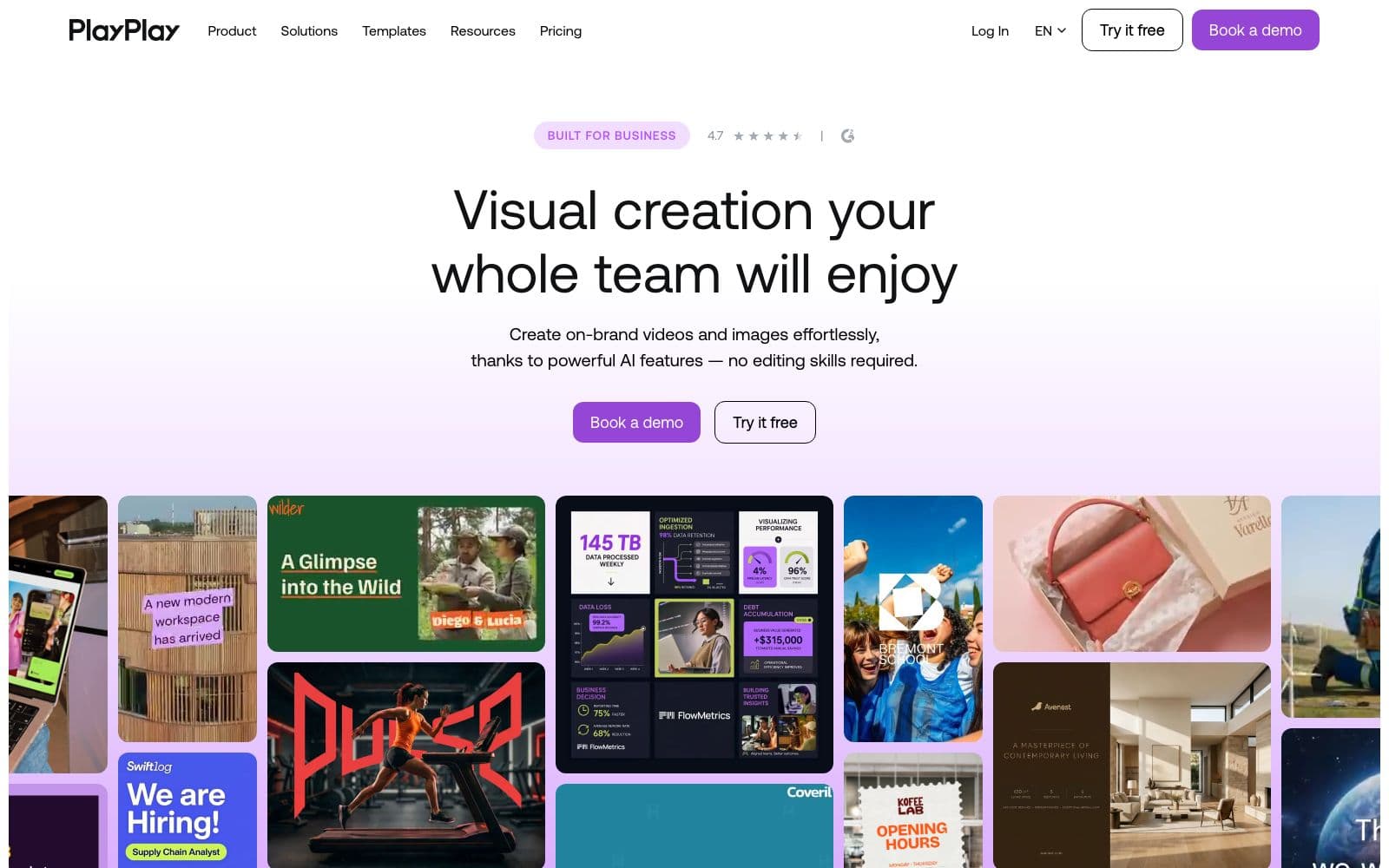
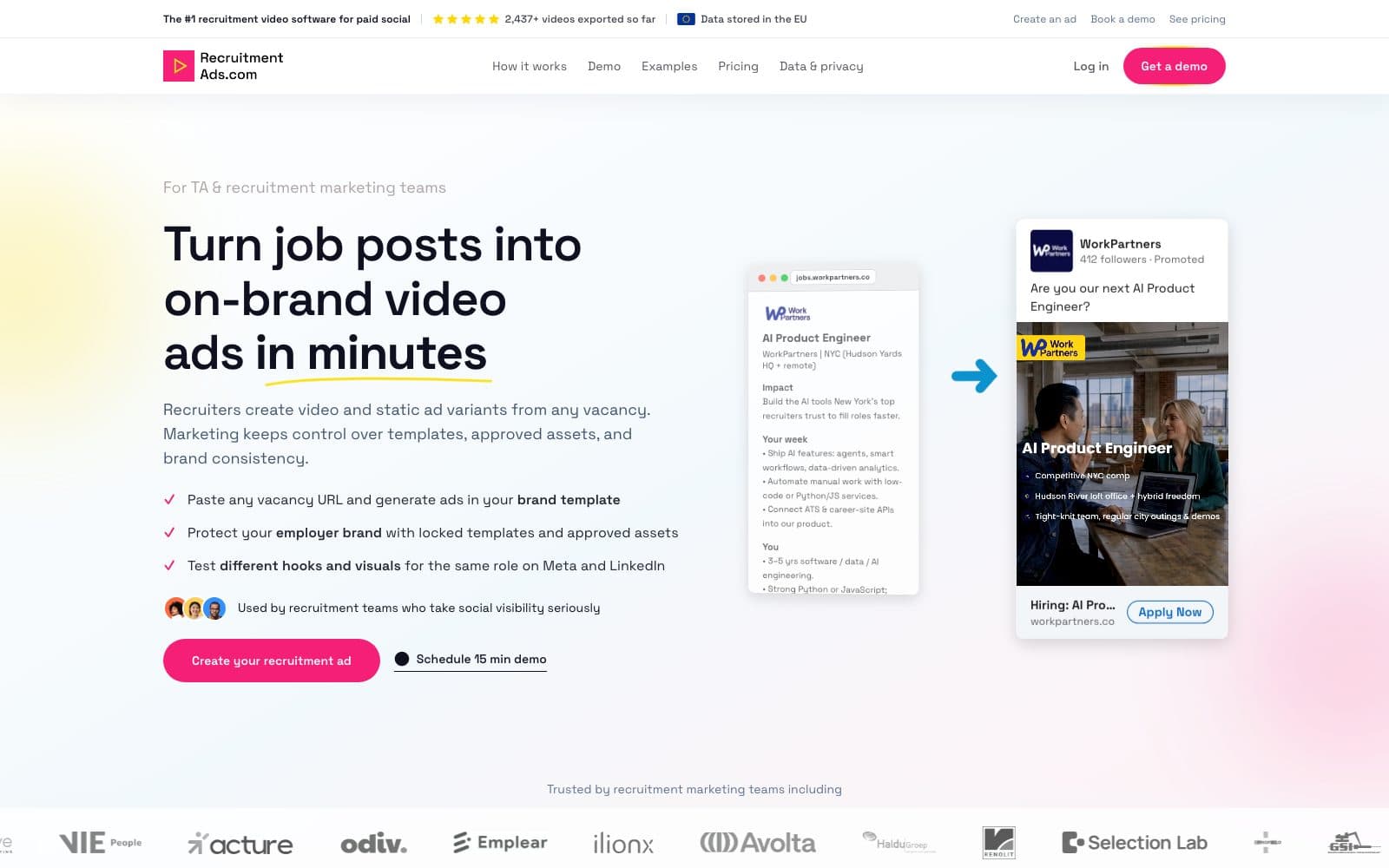
What each tool is
PlayPlay
PlayPlay is a Paris-based visual-creation platform for enterprise and mid-market teams, backed by $65.8M including a $55M Series B led by Insight Partners with Balderton Capital in February 2022, with around 205 staff and a New York office. You start from a template, add your own footage, images, Getty stock, AI-generated visuals or an AI avatar presenter, and assemble the piece in a storyboard editor; a separate design suite produces static and animated visuals alongside video. Customers named on its site include IBM, L'Oréal, Booking.com, Novo Nordisk, the NHS and Schneider Electric. Employer branding is one of five named solutions and a real one: a dedicated solution page with five named use cases (employee spotlights, day-in-the-life, recruitment campaigns, office presentations, reasons to join), 120+ employer-branding templates, per-URL templates including Job Offer, Video Job Offer and Job Offer Visual, a recruitment-video maker page, and a recruitment blog cluster. The channels it names for that output are LinkedIn, Instagram, Glassdoor, job portals and your careers page.
RecruitmentAds.com
RecruitmentAds.com makes recruitment ad creative and nothing else. You give it a live vacancy URL or the job text; it pulls the title, requirements, perks, logo, fonts and brand colours into a locked template and returns an on-brand video in 9:16, 4:5 and 1:1 with matching static ads and AI voice-over written from the job text. One credit is one finished creative set for one vacancy, and you can generate several variants of the same role to test different hooks. Visuals come from one of three sources, and marketing decides per template which ones recruiters may use: AI-generated scenes built from the job description, real approved employee photos placed in on-brand layouts, or approved assets only with no AI-generated people. RecruitmentAds publishes nothing on your behalf and buys no media; the exports go into your own Meta and LinkedIn accounts.
When PlayPlay wins, when RecruitmentAds wins
Both tools hand you files rather than publishing for you, so judge them on what lands in your hands: an on-brand content piece you assembled, or the ad set for one specific role. On evaluation friction they differ in a way you can check in a minute. PlayPlay's trial is free for 7 days but its prices are behind 'Talk to an expert', while RecruitmentAds' plan prices, credit allowances and 90-day pilot totals are published and the sample is built from your own job link.
When PlayPlay wins
You are buying for the whole company, not for hiring.
PlayPlay feeds marketing, comms, internal comms, social and employer branding from one platform, and its static design suite covers image work too. RecruitmentAds only makes recruitment ads, so it cannot consolidate that spend.
You need enterprise governance beyond a locked template.
PlayPlay lists approval workflows, team management, SSO, a company asset library and a dedicated account manager on its subscription tier. RecruitmentAds does not ship full role-based access control or approval workflows, and we are not going to claim otherwise.
Most of your video has no job attached to it.
PlayPlay is built for that whole range: day-in-the-life films, internal announcements, event recaps, product explainers, 40+ language translations, AI avatar presenters. RecruitmentAds has nothing to say about a video with no vacancy behind it.
When RecruitmentAds wins
Your unit of work is a vacancy.
Paste the job URL and the video formats plus matching statics for that role come back in one pass. PlayPlay's own recruitment-video maker starts at step one with 'Upload your videos', and its URL-to-video feature is scoped to blog posts, news articles and informational resources, so the role still has to be turned into content by a person first.
You need output shaped for paid placement on Meta and LinkedIn, with variants per vacancy to test whether salary, requirements or culture pulls harder.
PlayPlay's employer-branding channels are organic ones (LinkedIn, Instagram, Glassdoor, job portals, careers page), and no paid campaign structure or ad-set output appears anywhere on its site.
You need the visual-source decision governed per template: AI-generated scenes from the job description, real approved employee photos in on-brand layouts, or approved assets only with no AI-generated people.
PlayPlay's answer to visuals is breadth (Getty premium stock, an AI image generator, AI avatars and your uploads), which is a wide menu rather than a per-campaign policy.
Who should pick what
Sole recruiter or small in-house team
PlayPlay is priced by quote for teams, and third-party reviewers describe the cost as inaccessible to smaller organisations (secondhand, 5 August 2026); a single recruiter is not the buyer it is scoped for, though the 7-day free trial is open to anyone. RecruitmentAds fits here: paste the vacancy, take the exports, no editor session and no design queue in between.
TA team inside a company with a marketing function
PlayPlay works if marketing or comms already owns it for company-wide content and is happy for recruitment to work inside the same editor and the same approval queue. RecruitmentAds gives recruiters per-vacancy output inside a template marketing has locked, with the visual modes marketing allows: brand rules set once, no review cycle per role.
Employer-branding-led buyer
PlayPlay is strong here: 120+ employer-branding templates, employee spotlights and day-in-the-life formats, 40+ language video translation, and a content programme that runs well beyond open roles. RecruitmentAds covers the ad layer for specific vacancies. It is not an employer-brand content programme, and it does not pretend to replace one.
Ready to evaluate PlayPlay vs RecruitmentAds on your own vacancy? Try it in a 90-day pilot, or request a sample with your job link.
PlayPlay vs RecruitmentAds, line by line
Every cell names the tool it describes, so no row can be misread out of context. Verified 5 August 2026 against PlayPlay's own site; the RecruitmentAds rows describe shipped behaviour, including where nothing ships.
Facts verified 2026-08-05. “—” means not published by the vendor.
| Comparison | PlayPlay | RecruitmentAds |
|---|---|---|
| What it is | PlayPlay is a Paris-based enterprise video-and-visuals creation platform sold to comms, marketing and HR teams, with 3,000+ customer companies. | RecruitmentAds.com is recruitment ad software that turns a live vacancy into an on-brand video set plus matching statics for Meta and LinkedIn. |
| What it is for | PlayPlay is an adjacent-creative tool: a company-wide visual factory in which employer branding is one of five named solutions. | RecruitmentAds is recruitment-native: hiring is the only use case, so the templates, formats and outputs are all built around the vacancy. |
| What you start from | PlayPlay starts from a template plus material you supply (your footage, images, screen or camera recordings, Getty stock, AI-generated visuals or an AI avatar), assembled in a storyboard editor. | RecruitmentAds starts from the job: a live vacancy URL or pasted job text, from which it extracts the title, requirements, perks, logo, fonts and brand colours. |
| Pasting a URL | PlayPlay does accept a pasted URL, but its AI URL-to-video feature is described on its own feature page as optimized for text-rich pages such as blog posts, news articles and informational resources; job postings, careers pages and vacancies appear nowhere on it as of 2026-08-05. | RecruitmentAds is built around the vacancy URL specifically, and reads the role's own fields out of the posting rather than summarising the page as an article. |
| Recruitment video path | PlayPlay publishes a recruitment-video maker page whose four steps are choose a template, upload your videos, personalize, then download and share. The footage is yours to bring. | RecruitmentAds generates the scenes, on-screen text and AI voice-over from the job post itself, so no footage is required to produce the first version. |
| Video output | PlayPlay's primary output is on-brand video, with automatic resizing summed up in its own line 'One video, every format' for LinkedIn, Instagram and internal platforms. | RecruitmentAds outputs on-brand recruitment video in 9:16, 4:5 and 1:1 with AI voice-over generated from the job text, plus several variants per vacancy for testing different hooks. |
| Static output | PlayPlay ships a static and animated design suite alongside video: an AI Image Generator and AI Background Remover on its features page, plus image animation, translation and resizing tools in the PlayPlay Design set, backed by a premium stock library. | RecruitmentAds includes matching static ads in the same credit as the video, so image and video can be tested against each other on the same role. |
| Ad-set output | PlayPlay produces individual content pieces for owned and organic channels; no paid ad-set output or campaign structure is named anywhere on its site, and its employer-branding channel list is LinkedIn, Instagram, Glassdoor, job portals and careers pages. | RecruitmentAds returns one vacancy as one finished set (every standard video format plus matching statics) sized for Meta and LinkedIn placement. |
| Publishing and distribution | PlayPlay publishes to no channel itself: you download the file and post it, and no publishing or scheduling integration is named on its features page as of 2026-08-05. | RecruitmentAds is export-only too: you upload the MP4s and statics in your own Meta and LinkedIn accounts; it is not a publisher and it does not buy media. |
| Visual-source choice | PlayPlay offers breadth of visual sources (Getty premium stock, a company asset library, an AI image generator, AI avatars and your own recordings) but no per-campaign mode that chooses between AI-generated scenes, real employee photos and approved-assets-only. | RecruitmentAds makes the visual source an explicit choice per template: fully AI-generated from the job description, real employee photos in on-brand layouts, or approved assets only with no AI-generated people. |
| Brand governance | PlayPlay offers full brand governance and it is the strongest in this category: Advanced Branding auto-applies logos, colours, fonts and intros or outros, plus a company asset library, approval workflows, team management and SSO on the subscription tier. | RecruitmentAds locks the template, fonts, colours and approved asset library and lets marketing set which visual modes recruiters may use per template; it does not ship full role-based access control or approval workflows. |
| Languages | PlayPlay's AI Video Translator covers 40+ languages including simultaneous multi-language translation, with AI subtitles and voice-over (its product page, read via search snippet, 2026-08-05). | RecruitmentAds supports all languages for on-screen text and AI voice-over, chosen at export; it does not claim automatic subtitling or transcription. |
| ATS integration | Not published: PlayPlay names no ATS connector anywhere, and its employer-branding solution page contains no mention of ATS, job-posting import or vacancy management as of 2026-08-05. | Not shipped: RecruitmentAds has no native ATS integration either. You paste the vacancy or link it. |
| Pricing | Not published: PlayPlay's pricing page shows a 7-day free trial and a single paid Subscription line with a 'Talk to an expert' CTA and no figures at all (verified 2026-08-05); third-party reviewers describe the cost as inaccessible to smaller organisations, secondhand. | Published: RecruitmentAds lists its Starter, Custom and Scale plan prices, credit allowances and 90-day pilot totals on its pricing page, in EUR, GBP or USD by region. |
| How you evaluate it | PlayPlay can be tried before a conversation (7 days free, no credit card, all features, watermarked output) but it cannot be priced before one, because the paid line ends at 'Talk to an expert'. | RecruitmentAds can be priced and scoped before a conversation: read the published plans, request a sample built from one of your live vacancy URLs, then run a fixed 90-day pilot on real roles. |
| Best for | PlayPlay is best for enterprise and mid-market comms, marketing and HR teams that want one governed platform for all corporate video and visuals. | RecruitmentAds is best for in-house TA teams and agency or RPO partners that need per-vacancy ad creative without a design queue, inside brand rules marketing set once. |
What most PlayPlay comparisons miss
PlayPlay ships a paste-a-URL feature, and the answer surfaces have noticed: one of the pages ranking on 'playplay alternative' frames the whole product around URL-to-video. What none of them quote is the scope. PlayPlay's own feature page says the feature is optimized for text-rich web pages such as blog posts, news articles and informational resources, and lists blogs, news, guides, reports, corporate announcements and product pages as what it works with. Job postings, careers pages and vacancies are not on that list, on that page, as of 5 August 2026. Two tools can both accept a URL and still be pointed at completely different documents. The second gap is the comparison set itself. G2, OMR, GetApp, Capterra and SoftwareAdvice all list PlayPlay against video tools (Canva, Synthesia, Lumen5, Pictory, InVideo), and PlayPlay's own comparison pages take on Premiere Pro, CapCut and Canva. Reasonable company for a video platform. It also means nobody in that top 10 asks the two questions a hiring team needs answered: what does the tool accept as input, and does what comes out arrive as an ad set for a specific role or as a file you still have to make into one. For fairness, PlayPlay makes the speed argument itself: its comparison hub cites that only 9% of teams publish a video in under a day, and Novo Nordisk is quoted on its homepage as reaching 25 videos a month. Those are claims about producing corporate video faster than an agency or an editor, and they are credible. They are not claims about turning an open requisition into a running ad set, and PlayPlay never says they are.
Switching from PlayPlay
What changes
- The input changes. PlayPlay starts from a template plus footage, images and stock you supply; RecruitmentAds starts from the vacancy URL and reads the role out of the posting.
- The output changes. PlayPlay hands you a content piece and its channel resizes; RecruitmentAds hands you one vacancy's set (every standard video format plus matching statics) sized for Meta and LinkedIn.
- The unit of work changes. A content calendar stops being the organising idea and open roles start. That is also why the honest answer is often 'add', not 'replace' (see the last question below).
What maps to what
- Your PlayPlay Advanced Branding setup (logos, colours, fonts, intros and outros) maps to your locked RecruitmentAds template.
- Your PlayPlay company asset library of approved images and clips maps to your RecruitmentAds asset library, including the approved-assets-only mode where no AI-generated people appear.
- PlayPlay's job-offer and recruitment templates (Job Offer, Video Job Offer, Job Offer Visual, Recruitment Campaign) map to RecruitmentAds variants per vacancy: lead with salary, requirements or culture from the same posting.
- PlayPlay's automatic resizing for LinkedIn and Instagram maps to the format set RecruitmentAds exports in one pass: 9:16, 4:5 and 1:1 with matching statics.
- Your multi-language need partly maps: RecruitmentAds does on-screen text and AI voice-over in any language, chosen at export. It does not do PlayPlay's automatic subtitle translation, so check that first if you rely on it.
What you keep
- Your ad accounts and posting workflow. Both tools export files, so nothing about how you publish or run campaigns changes.
- Your employee-photo consent process. RecruitmentAds uses approved photography inside your existing process rather than replacing it.
- Everything PlayPlay already made. Those files are yours, so there is no migration to run and no library to port.
- PlayPlay itself, if comms and marketing want it. The two tools answer different questions and a company can run both without overlap.
What review sites report
All review data secondhand, captured 5 August 2026 via search snippets; direct fetches of both review sites were blocked. RecruitmentAds does not list its own ratings here.
G2 · reported 2026-08-05
4.7 out of 5 from 312 reviews: enterprise-grade review volume, the largest in this category.
Capterra · reported 2026-08-05
4.6 out of 5 from 29 reviews.
Evaluate RecruitmentAds on your own vacancy
Comparison tables only take you so far. Send one live vacancy URL and we build the set from it: video in every standard format, matching statics, in your brand template, with the visual mode you choose (AI-generated scenes from the job description, real approved employee photos, or approved assets only with no AI-generated people). Plan prices, credit allowances and 90-day pilot totals are published, so you can scope the decision before you book anything.
Questions buyers actually ask
Is PlayPlay a recruitment tool?
PlayPlay is a company-wide visual-creation platform with a genuine recruitment surface. Employer branding is one of five named solutions, with 120+ templates, a dedicated solution page, per-URL templates including Job Offer and Video Job Offer, a recruitment-video maker page and a recruitment blog cluster. What it is not is recruitment-native: there is no vacancy ingestion, no ATS connector and no per-vacancy ad-set output, because hiring is one audience alongside marketing, comms, internal comms and social.
Can PlayPlay make a video from a job posting URL?
Not as a documented use. PlayPlay's AI URL-to-video feature does take a pasted link, but its own feature page describes it as optimized for text-rich web pages such as blog posts, news articles and informational resources, and the content types it lists are blogs, news, guides, reports, corporate announcements and product pages. Job postings, vacancies and careers pages are not mentioned there as of 5 August 2026. Its separate recruitment-video maker takes the other route: pick a template, upload your videos, personalize, download. RecruitmentAds takes the vacancy URL and reads the title, requirements, perks and brand assets out of the posting itself.
How much does PlayPlay cost, and how does that compare?
PlayPlay does not publish prices. Its pricing page shows a 7-day free trial (no credit card, all features, watermarked output) and a single paid Subscription line whose CTA is 'Talk to an expert', with no figures anywhere (verified 5 August 2026). The subscription is what removes the watermark and adds advanced branding, SSO, approval workflows, the Getty premium library and a dedicated account manager. So PlayPlay is easy to try and impossible to price without a meeting. RecruitmentAds publishes its Starter, Custom and Scale prices, credit allowances and 90-day pilot totals, which means you can cost the whole evaluation yourself before speaking to anyone.
Which one gives marketing more control over the brand?
Honestly, PlayPlay is the stronger governance platform in the general case: Advanced Branding auto-applies logos, colours, fonts and intros or outros, and the subscription tier adds a company asset library, approval workflows, team management and SSO. RecruitmentAds does not ship full role-based access control or approval workflows. The control RecruitmentAds adds is narrower and specific to hiring: marketing sets per template which visual sources recruiters may use, choosing between AI-generated scenes from the job description, real approved employee photos, or approved assets only with no AI-generated people. If your brand policy is about who may appear in an ad and how, that decision is a setting in RecruitmentAds rather than a review step.
We already use PlayPlay for marketing. Do we need anything else for hiring?
It depends on what you are producing. If hiring content means employee spotlights, day-in-the-life films and culture pieces posted organically, PlayPlay already covers it and adding a second tool would be waste. If you are running paid recruitment campaigns where every open role needs its own creative in every format, with variants to test, then the gap is real: PlayPlay needs a person to turn each vacancy into a piece of content first, and its output is a file rather than an ad set for that role. Both tools export rather than publish, so running them side by side costs no integration work and no migration.